For businesses that sell over the counter and want to know what happens to their stock and their till.
Shops, coffee shops, restaurants, hardware stores or workshops that keep inventory in spreadsheets and count the till by hand.
Inventory by eye
Nobody knows how much is really left, how much was lost or what the items sold cost.
Unrecorded sales
At rush hour sales are charged from memory, and at the end of the day nobody knows what sold best.
Closings that don't add up
Between sales, change and petty cash, reconciling the cash at the end of the day is hard.
How you use it day to day
Build your catalog
Each product is sold as is (deducts one unit), from a recipe (deducts what goes into it) or without stock, like a service.
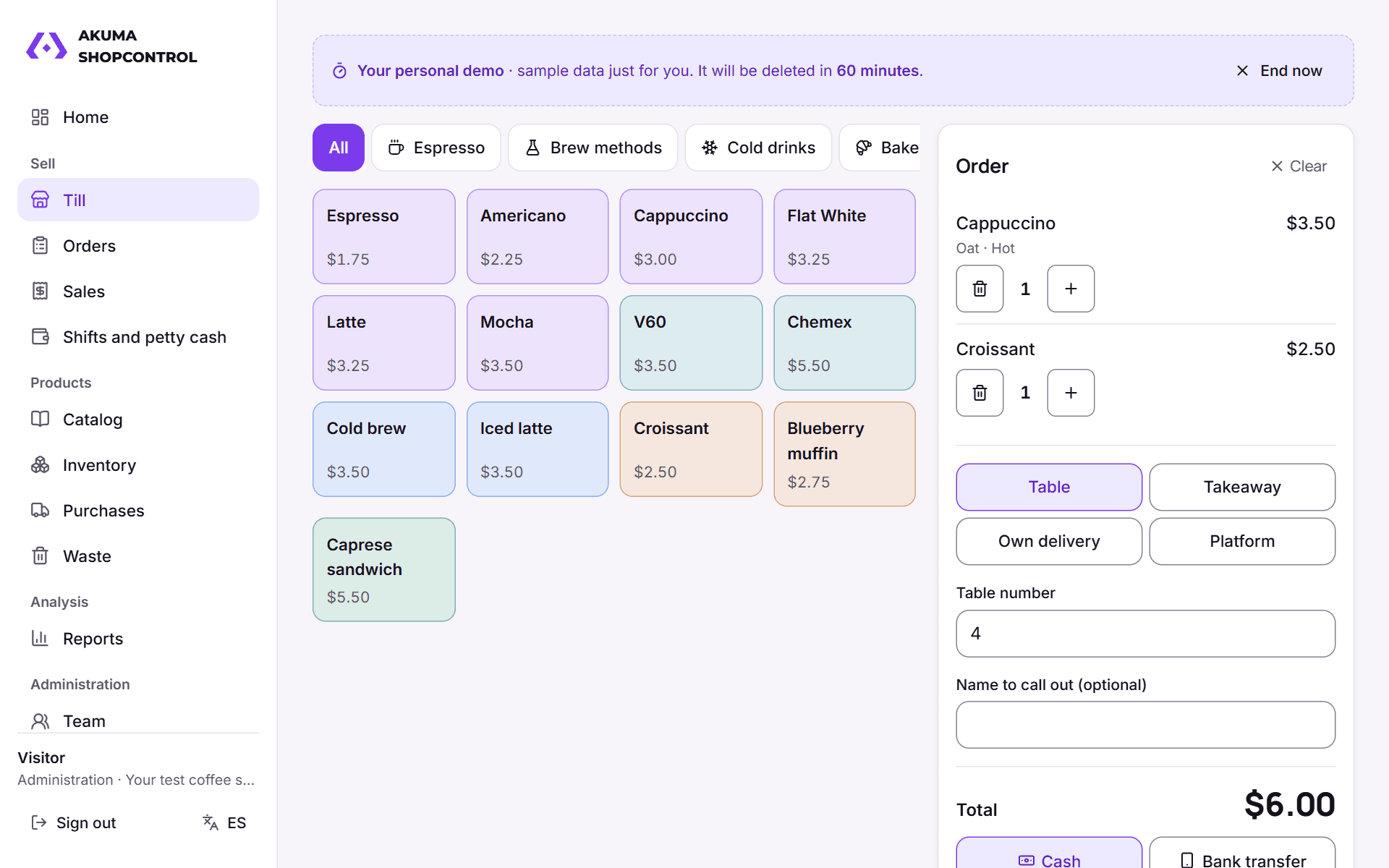
Charge at the till
Table, takeaway, delivery or platform; cash with change or bank transfer, and a thermal receipt.
Turn on what you use
Order bar, tables, delivery, purchases, expiry dates or recipes: what you don't use is turned off and disappears.
Close and review
Cash count with the expected amount, sales reports, peak hours, waste and what to buy.
What it looks like inside
Real screens of the app with sample data.
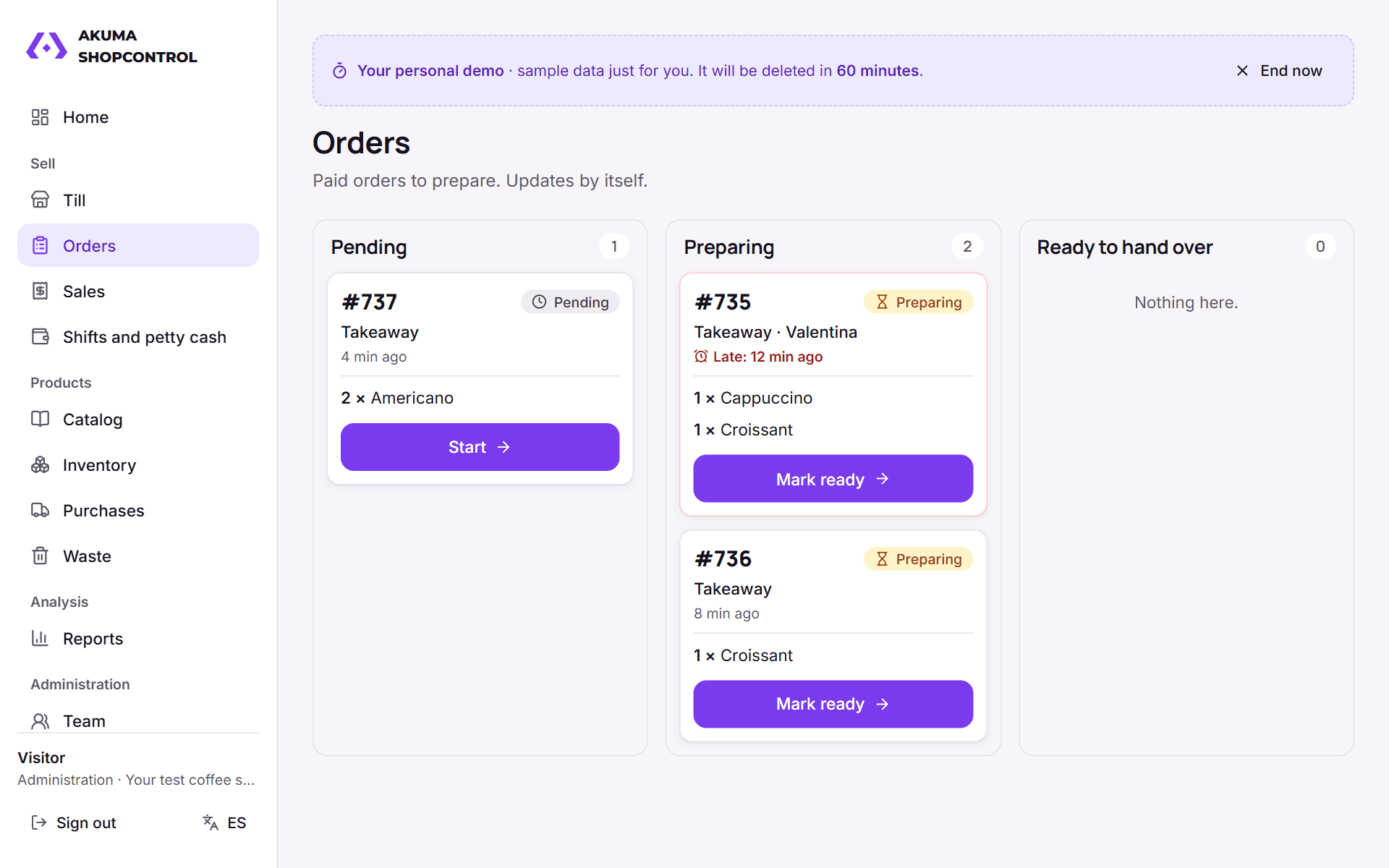
Order barOrders to prepare, in columns, with their options and notes. Turn it off if you don't need it. 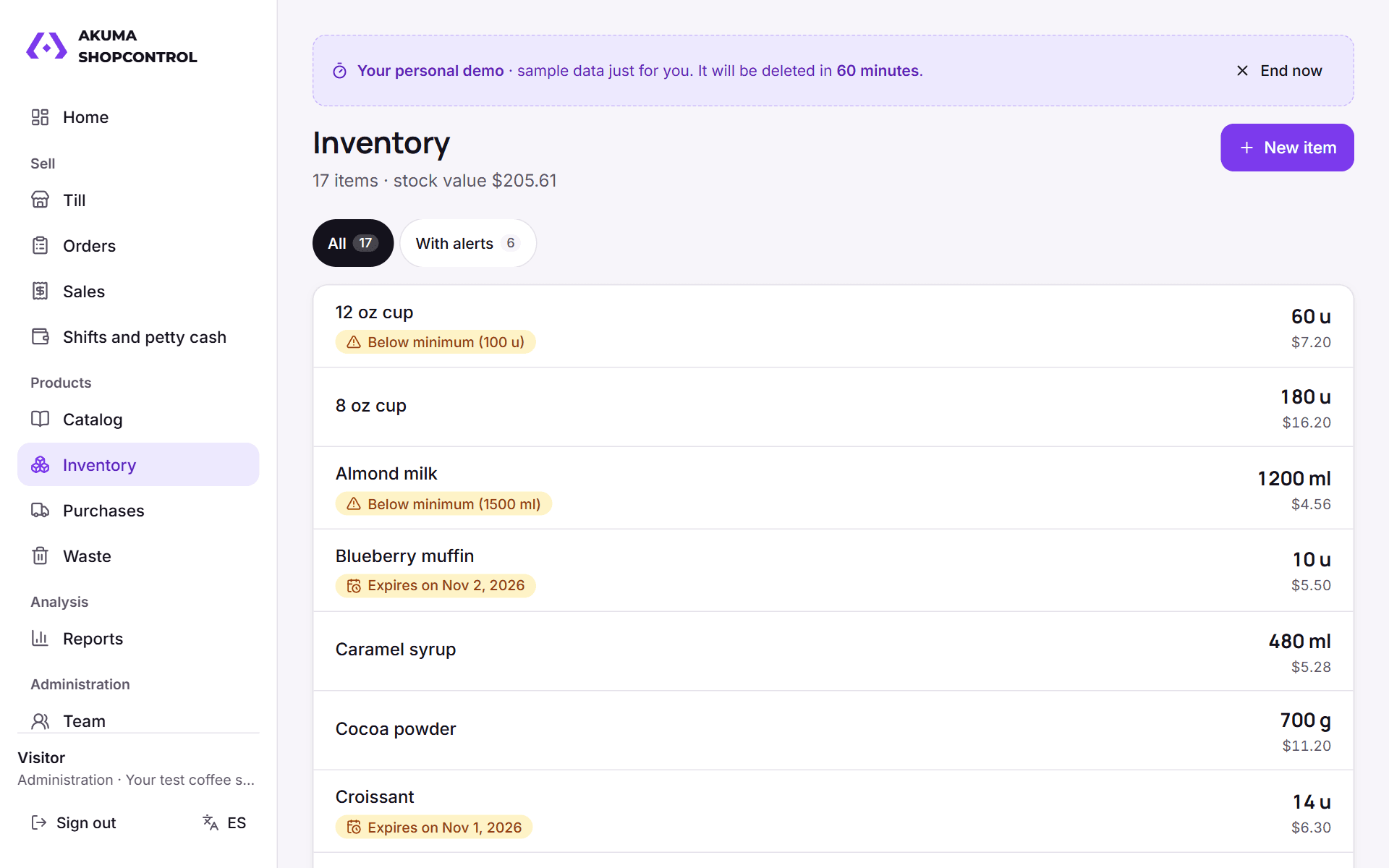
InventoryStock, minimum-level alerts and batches about to expire. 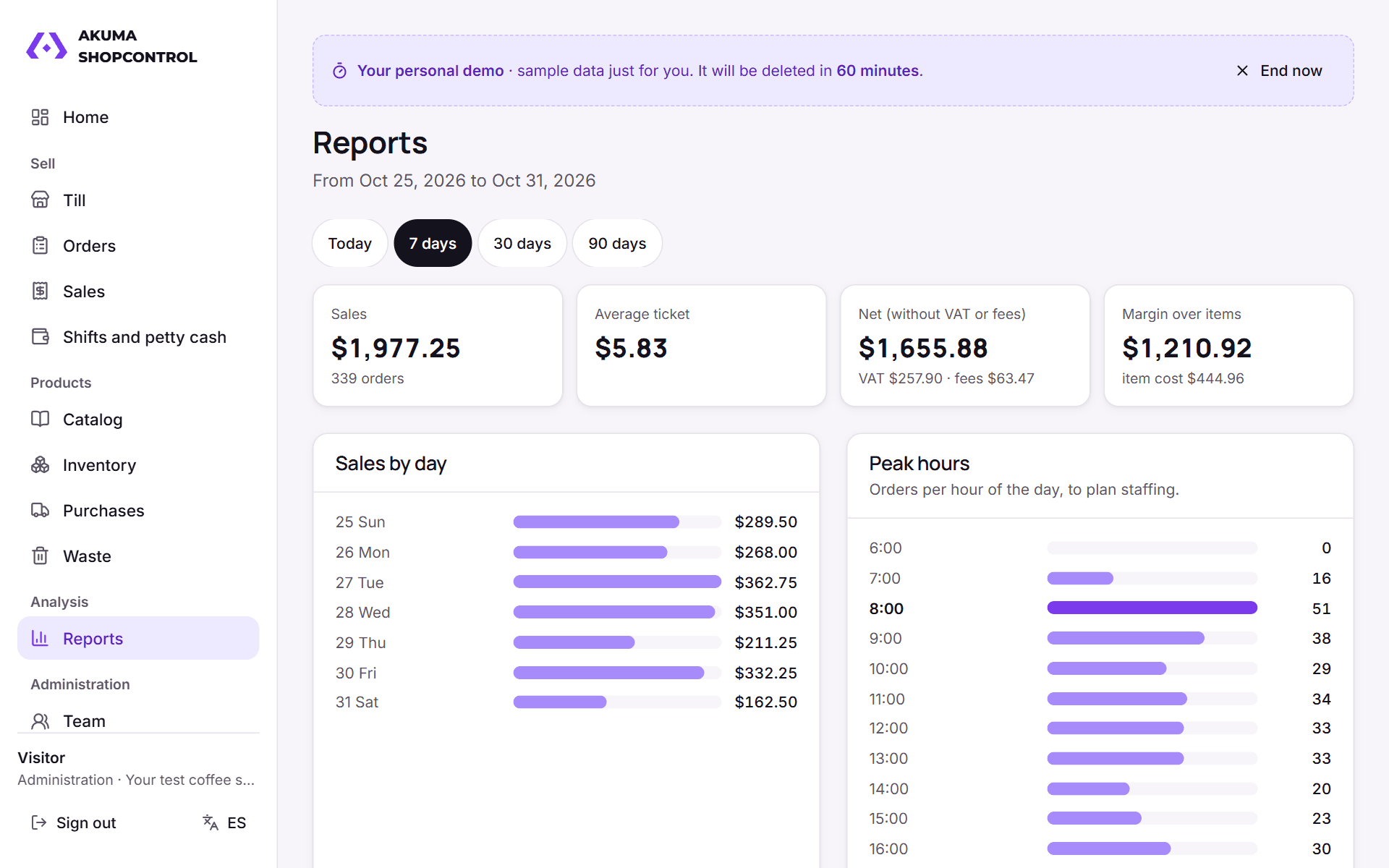
ReportsSales by day, peak hours, ranking and margin over cost. 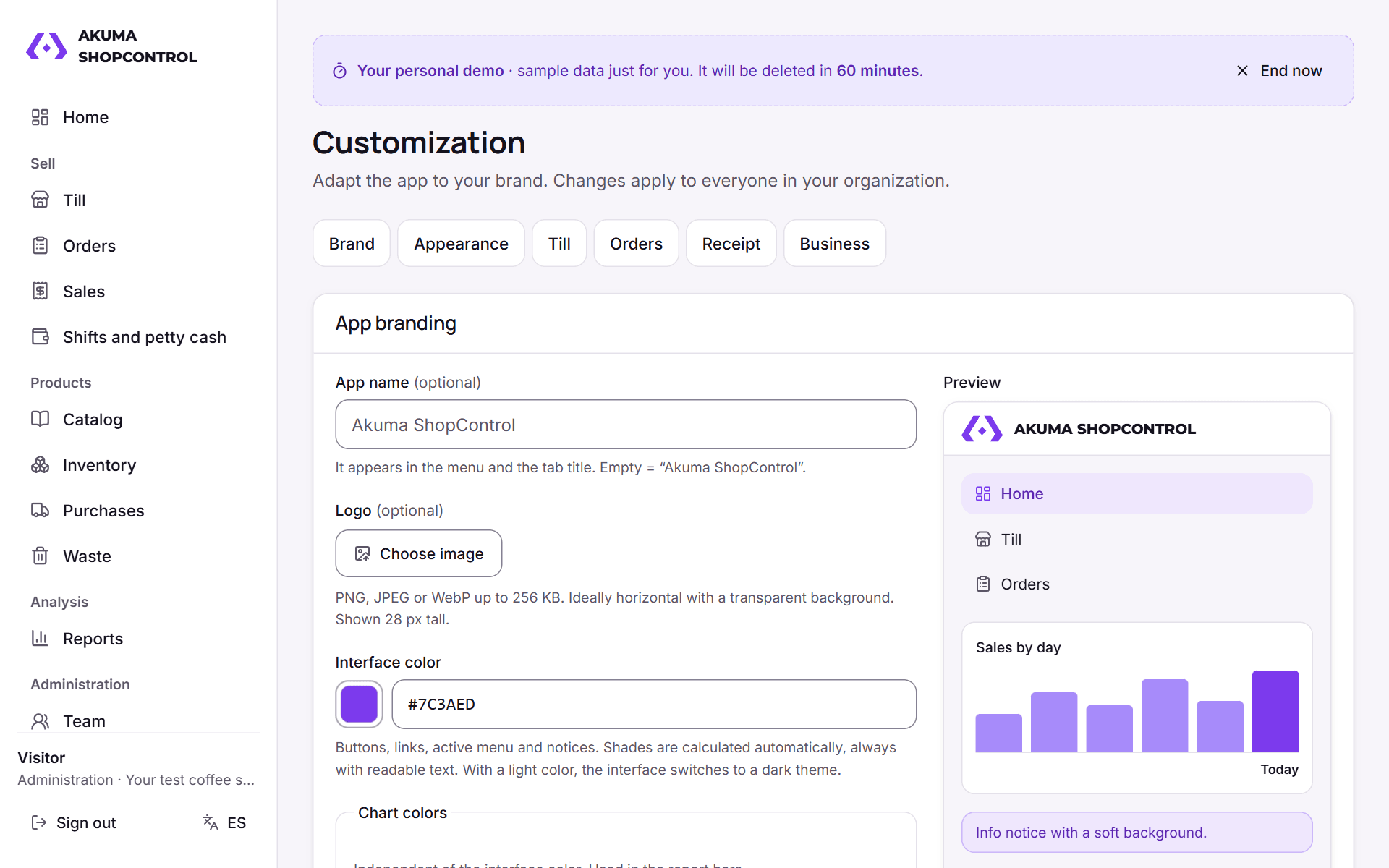
CustomizationAppearance, till, bar and receipt the way you like.
Features in this version
We only list what already works in the demo; we keep adding improvements.
Products sold as is, from a recipe (options included) or without stock control.
Sections you can turn off by category: order bar, tables, delivery, platforms, purchases, waste, expiry dates and recipes.
- Inventory with weighted average cost, batches, expiry dates and low-stock alerts.
- Purchases by supplier and waste at their cost.
- Till with shifts, petty cash, cash count and external platforms with their fee.
- Reports on sales, peak hours, best sellers and margin.
- Admin and Cashier roles, plus your own roles; cashiers don't see costs.
Try it with a test business
No sign-up or personal data. The demo is a sample coffee shop: you have 1 hour to charge sales, create your products, turn sections off and close the till; then everything is deleted.
Try the demo